
Last updated on
Nov 6, 2026
GM Financial Form 500 2015-2026 free printable template
pdfFiller is not affiliated with any government organization

Fill out
Complete the form online in a simple drag-and-drop editor.

eSign
Add your legally binding signature or send the form for signing.

Share
Share the form via a link, letting anyone fill it out from any device.

Export
Download, print, email, or move the form to your cloud storage.
Why pdfFiller is the best tool for your documents and forms


End-to-end document management
From editing and signing to collaboration and tracking, pdfFiller has everything you need to get your documents done quickly and efficiently.
Accessible from anywhere
pdfFiller is fully cloud-based. This means you can edit, sign, and share documents from anywhere using your computer, smartphone, or tablet.
Secure and compliant
pdfFiller lets you securely manage documents following global laws like ESIGN, CCPA, and GDPR. It's also HIPAA and SOC 2 compliant.
What is GM Financial Form 500
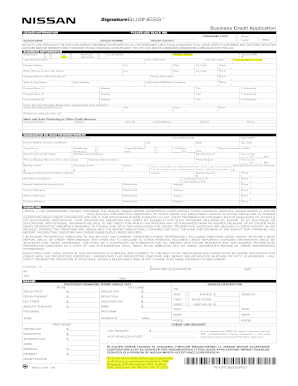
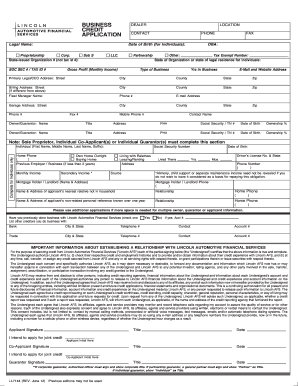
The Business Credit Application Form 500 is a crucial document used by businesses to apply for credit or financial assistance from GMF.
pdfFiller scores top ratings on review platforms




A great tool for working from any location and keeping files accessible and shareable.
Quick and easy to use. Definitely allows writing on PDF files an easier way to fill out important forms as needed.
GREAT BUT WILL LOVE IT IF YOU DEVELOP DESKTOP VERSION
I like it so far. It is simple and fits my needs. However, I have no tried to send to anyone yet.
its a great program, I just need to get more familiar with it
Just started using this application and it so far I am impressed
Who needs GM Financial Form 500?
Explore how professionals across industries use pdfFiller.

GM Financial Form 500 is needed by:
-
Small business owners seeking credit
-
Financial managers requiring funding options
-
Entrepreneurs applying for commercial financing
-
Guarantors supporting business loan applications
-
Accountants preparing financial documents for clients
-
Business consultants advising on financing strategies
Comprehensive Guide to GM Financial Form 500
What is the Business Credit Application Form 500?
The Business Credit Application Form 500 is a vital document utilized by businesses seeking financial assistance or credit. This form serves to collect comprehensive information about the business, including its legal name, structure, financial condition, and references. Typically, it is used by business owners and startups as they apply for various funding options.
This application is crucial for evaluating creditworthiness, helping lenders to assess the financial stability of the applicant. A properly filled-out credit application for businesses ensures that all necessary details are readily available for review.
Benefits of Using the Business Credit Application Form 500
Using the Business Credit Application Form 500 offers numerous advantages for those looking to secure financing for their ventures. Firstly, it can significantly streamline the application process, making it easier for business owners to present their information in an organized manner. This increased organization often improves the chances of approval from lenders.
Additionally, utilizing this business loan application can help applicants avoid common pitfalls by ensuring that all required information and supporting documentation are prepared and submitted correctly. This level of preparation is critical for securing commercial financing.
Key Features of the Business Credit Application Form 500
The Business Credit Application Form 500 includes several key features that are essential for potential credit applicants. Required fields often include details about the business, such as its legal structure, location, and financial performance. It also features sections that require personal information about the guarantor.
-
Signature fields for both the applicant and guarantor.
-
Authorization requests for credit history checks.
-
Personal data collection for the guarantor, such as social security number and address.
Overall, the business credit form PDF is designed to ensure compliance and thorough documentation for both applicants and lenders.
Who Needs the Business Credit Application Form 500?
The form is specifically targeted at small business owners, particularly those in states such as California and New York, who require funding for various business needs. Scenarios that typically necessitate the use of this form include seeking loans for expansion, inventory purchases, or covering operating expenses.
Potential applicants can include both established companies and startups, while guarantors often play a crucial role, ensuring that there is sufficient backing for the credit request. This combination of applicants and guarantors forms a robust framework for credit applications.
How to Fill Out the Business Credit Application Form 500 Online (Step-by-Step)
To effectively complete the Business Credit Application Form 500 online, follow these steps:
-
Gather all necessary financial documents and identification before starting the form.
-
Access the business credit form PDF on a reliable platform like pdfFiller.
-
Fill in all required fields accurately, ensuring that the information is complete.
-
Review the entire application for correctness before final submission.
Ensuring accuracy during this process is paramount, as errors could delay approval or even result in denial of the financial assistance application.
Common Errors and Tips for Filling Out the Business Credit Application Form 500
When completing the Business Credit Application Form 500, several common mistakes can be easily avoided. These include providing incomplete information, misrepresenting financial details, or neglecting to sign where required. To mitigate these issues, it is essential to validate all information thoroughly before submission.
-
Always double-check details against original documents.
-
Make sure all signatures are present and accurate.
-
Use a checklist to ensure that every section of the form has been completed.
By following these tips and utilizing a credit application template, applicants can enhance their chances of approval.
Submitting the Business Credit Application Form 500
Submitting the Business Credit Application Form 500 can be done through several methods. Applicants may choose to submit the form online or in-person, depending on the lender's requirements. It is essential to verify any associated fees, deadlines, and specific submission locations as these can vary by state.
After submission, applicants can expect confirmation of receipt along with processing timelines. Understanding the consequences of not filing the form properly is crucial for maintaining good standing with lenders.
Security and Compliance When Using the Business Credit Application Form 500
When filling out and submitting the Business Credit Application Form 500, protecting sensitive information is of utmost importance. Users can rest assured knowing that stringent security measures, such as 256-bit encryption, are implemented to safeguard their data.
Moreover, compliance with regulations like HIPAA ensures that personal information remains confidential throughout the process. Maintaining privacy is essential for all users dealing with financial documentation.
How pdfFiller Can Help You with the Business Credit Application Form 500
pdfFiller provides an excellent solution for those needing assistance with the Business Credit Application Form 500. Its cloud-based platform offers features that make form completion straightforward, including editing for accuracy and the ability to eSign documents securely.
With over 100 million users, pdfFiller has earned a reputation for reliability and user trust. The ease of sharing and managing documents online positions pdfFiller as a superior choice for editing and submitting forms.
Ready to Get Started with Your Business Credit Application?
Take advantage of pdfFiller's comprehensive tools to simplify your Business Credit Application Form 500 completion. By leveraging the platform’s features, you can ensure a smooth and efficient application process for your business loan application.
Start your journey today by accessing the resources available to you on pdfFiller.
How to fill out the GM Financial Form 500
-
1.To start, access pdfFiller and search for 'Business Credit Application Form 500.' Click on the form to open it in the editor.
-
2.Navigate through the form fields by clicking on each one. You will see prompts indicating what information is required.
-
3.Before filling out the form, gather necessary information such as your business's legal name, financial details, and references.
-
4.Fill in each section thoroughly, ensuring accuracy in financial details and personal information of the guarantor.
-
5.Check your entries against the guidelines provided on the form to avoid common errors.
-
6.Once all fields are completed, review the form for clarity and completeness.
-
7.After confirming everything is accurate, save your work. You can choose to download the PDF or use pdfFiller’s submission options.
-
8.If needed, electronically sign the form using pdfFiller's signature feature before finalizing the submission.

Who is eligible to apply using the Business Credit Application Form 500?
Eligible applicants include businesses seeking credit or financial assistance, as well as individuals acting as guarantors with relevant personal information.
What information is required to complete the form?
The form requires detailed information including the business legal name, financial records, personal information of the guarantor, and references.
How do I submit the completed Business Credit Application Form 500?
Completed forms can be submitted through pdfFiller's submission feature or printed and sent via traditional mail as per GMF's guidelines.
Are there any common mistakes to avoid when filling out this form?
Common mistakes include missing signatures, inaccuracies in financial details, and failure to provide complete contact information for references.
What is the processing time after submission?
Processing times can vary, but applicants should typically expect a response within 2-4 weeks after submission of the Business Credit Application Form 500.
Is notarization required for this form?
No, notarization is not required for the Business Credit Application Form 500, simplifying the submission process.
Can I edit the form after submission?
Once submitted, editing the form may not be possible. It is crucial to double-check all information before sending.
Related Forms


Related Catalogs
Get the latest insights from our blog


If you believe that this page should be taken down, please follow our DMCA take down process
here
.
This form may include fields for payment information. Data entered in these fields is not covered by PCI DSS compliance.